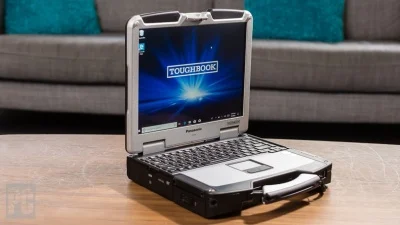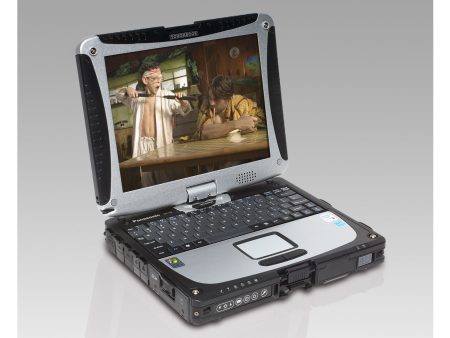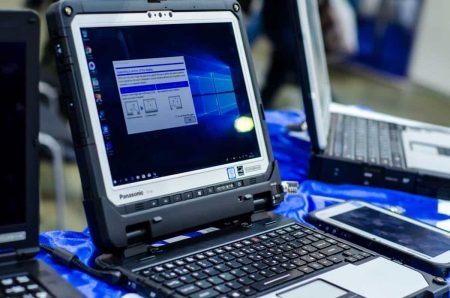

Computers used in service vehicles, industrial facilities, utility operations, construction sites, and other field environments face challenges that ordinary office notebooks may never encounter. The panasonic toughbook cf-19 was designed with these working conditions in mind, combining a compact convertible format with reinforced construction and features intended for mobile professionals who need access to business applications away from a conventional desk.
Built for More Demanding Environments
The CF-19 belongs to Panasonic’s fully rugged Toughbook line.
Its construction was developed for users who may encounter vibration, dust, moisture, frequent handling, and accidental drops during normal working conditions. The CF-19 family carries an IP65 rating and MIL-STD-810G testing credentials, depending on generation and configuration.
A magnesium-alloy case provides additional physical protection, while shock-mounted storage helps reduce the risk associated with vibration and movement.
For a field technician regularly moving between a vehicle and worksite, this type of construction can be much more practical than a thin consumer notebook intended mainly for desks and meeting rooms.
Convertible Laptop and Tablet Use
One of the CF-19’s defining characteristics is its convertible design.
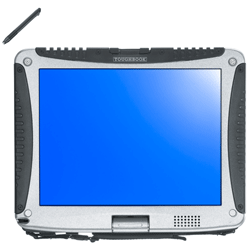
The display can rotate so the device can operate as either a conventional laptop or a tablet-style computer. This gives workers greater flexibility when entering information in different environments.
A technician could use laptop mode for completing reports or accessing service software, then switch to tablet mode while standing beside equipment or completing an inspection.
Depending on the generation, CF-19 models may include touchscreen, digitizer, dual-touch, or multi-touch screen configurations.
This flexibility can be especially useful for mobile employees who need one computer to handle several types of tasks throughout the workday.
Designed With Outdoor Visibility in Mind
Display readability can become a major concern when a laptop is used outdoors.
Indoor office screens may become difficult to see when exposed to bright daylight. The CF-19 was produced with sunlight-viewable display options intended to make information easier to read in field conditions.
Its compact display also helps keep the overall system relatively portable compared with larger rugged notebooks.
For workers checking diagrams, forms, records, maps, or diagnostic information outside, screen visibility can have a direct effect on usability.
Useful Connectivity for Existing Systems
Many field organizations continue to operate equipment that relies on connections no longer commonly found on modern consumer laptops.
The CF-19 family can include ports such as USB, Ethernet, SD card access, and RS-232 serial connectivity. Certain generations and configurations also support options such as GPS, cellular broadband, Bluetooth, and specialized card readers.
Serial connectivity can be particularly valuable in automotive, industrial, utility, and equipment-service environments where existing hardware or diagnostic systems still depend on older interfaces.
In these situations, keeping compatible hardware may be more practical than replacing an entire working system simply because newer laptops have dropped a required port.
Generation Matters When Buying a CF-19
The CF-19 was produced across several generations, often identified by MK numbers.
These versions differ considerably in processor type, maximum memory, USB support, wireless capabilities, and operating system compatibility.
Earlier models used Intel Core Duo or Core 2 Duo processors, while later generations moved to Intel Core i5 processors. Some later versions can also support considerably more memory than the earliest units.
That makes the exact generation important when shopping for a refurbished system.
A company maintaining legacy software may intentionally need an earlier configuration. Another business running Windows 10 applications may be better served by a later MK version with additional memory and stronger processor performance.
The correct choice depends on the applications and equipment the computer needs to support.
Refurbished Rugged Hardware Can Control Equipment Costs
Rugged computers can cost considerably more than conventional laptops when purchased new.
Refurbished models give organizations another option when they need durable equipment but do not necessarily need current-generation hardware.
This approach may be particularly useful for companies replacing existing CF-19 units, maintaining established vehicle installations, or supporting software that already works with older hardware.
Buyers should still review the condition, battery expectations, storage configuration, memory, screen type, operating system, and available warranty before purchasing.
The lowest price should not be the only consideration. Compatibility with the job is more important.
Where the CF-19 Can Still Make Sense
The CF-19 may remain useful in roles such as:
- Automotive diagnostics
- Utility field service
- Fleet operations
- Equipment maintenance
- Construction site management
- Warehouse operations
- Public safety support
- Manufacturing environments
- Mobile repair services
These applications often value durability and compatibility more than thin design or modern appearance.
A compact computer that can operate in both laptop and tablet formats can also reduce the need for employees to carry multiple devices.
Choose the Computer Around the Job
The CF-19 is not the right choice for every organization, particularly when newer operating systems or demanding modern applications are required. However, it can still serve businesses that prioritize rugged construction, convertible operation, legacy connectivity, and compatibility with established field systems. Before purchasing, compare the generation, processor, memory, storage, display configuration, and operating system against your actual workload. Visit Tough Rugged Laptops to review available rugged computers and select a configuration suited to your team’s field computing requirements.